
Website Security Tips to Protect Your Online Presence
You’re passionate about growing your business by creating reliable, high-performance websites for your clients. As you pursue your goals, it’s crucial to prioritize the security of the sites you develop. Your users expect a secure experience, making website protection an essential part of your strategy, and by implementing effective website security tips, you can safeguard your sites and build trust with your audience.
Consider these statistics: last year, over 53,000 website attacks were reported, as highlighted in a Verizon study, and the FBI recorded more than 900 daily complaints about cyberattacks in the U.S. alone. While major hacks targeting large companies grab headlines, no business is immune to these threats. To safeguard your website and provide a secure online environment for you and your users, here are eight essential tips you should follow.
8 Website Security Tips
Securing your website is a crucial step in protecting your online presence and maintaining the trust of your visitors. With cyber threats becoming more sophisticated daily, implementing effective website security tips and measures is essential to safeguard your data and ensure uninterrupted functionality.
1. Update your security plugins
Hackers frequently utilize automated bots to scour the internet, relentlessly scanning websites for exploitable security flaws. Many of these vulnerabilities arise from plugins, add-ons, and extensions. These components often require manual updates whenever security patches or bug fixes are released. Unfortunately, this process introduces a dependency on human intervention, increasing the likelihood of oversight and creating opportunities for attackers to breach defenses.
Consider WordPress, one of the most widely used website platforms. Its extensive reliance on plugins is both its strength and a common source of vulnerabilities—plugins account for 98% of its documented security issues. Without diligent updates and proactive monitoring, these vulnerabilities can expose websites to serious threats, highlighting the critical need to keep your site’s components up-to-date and secure.
2. Install an SSL certificate
Have you ever noticed a website URL starting with HTTPS instead of HTTP? That extra “S” signifies the use of SSL (Secure Sockets Layer), a critical security protocol that protects websites from hackers by encrypting data as it travels between users and the website or an internal network.
In the past, SSL was primarily used to secure shopping carts or login pages. However, modern security standards have evolved, and businesses now apply SSL to every page of their websites. This comprehensive approach helps prevent data breaches caused by visitors moving between secure and non-secure areas of a site.
An SSL certificate not only boosts security but also enhances trust with your audience, as many browsers now flag non-HTTPS sites as “Not Secure.” Investing in SSL ensures a safer browsing experience for your users while reinforcing your commitment to data protection.
3. Implement a web application firewall
Hackers frequently exploit application vulnerabilities to inject malicious code, allowing them to steal sensitive credentials, destroy data, or even gain control of servers. This type of attack, known as code injection, is one of the most significant threats to web security. In fact, it ranks first in the OWASP Foundation’s Top 10 Application Security Risks.
A Web Application Firewall (WAF) is one of the most effective defenses against such threats. A WAF acts as a protective barrier, inspecting HTTP traffic before it reaches your application. By filtering out harmful requests, it blocks common attacks such as cross-site scripting (XSS) and SQL injections, safeguarding your site’s functionality and protecting sensitive user data.
Incorporating a WAF into your website design isn’t just a precaution—it’s essential. It adds an additional layer of security to protect your website, your users, and your business from evolving cyber threats.
4. Use anti-malware software
Malware remains one of the most significant cyber threats, causing an estimated $2 trillion in damages globally last year. This malicious software comes in various forms, such as Trojan viruses, spyware, adware, and ransomware. Alarmingly, a study of 50,000 security incidents revealed that 92% of malware was delivered through email.
To safeguard your website, start by ensuring your hosting platform offers robust malware protection, including regular scans, firewalls, and antivirus programs. These features serve as a critical first line of defense against malicious attacks. After the site is handed over, educate your customers about the importance of staying vigilant. They should keep their antivirus software, browsers, and operating systems up-to-date to guard against evolving threats.
Finally, one of the simplest yet most effective precautions: never open emails or attachments from unknown or suspicious sources. A proactive approach to malware prevention can save both you and your customers from costly disruptions and data loss.
5. Set up two-factor authentication
Login forms are essential for enabling customers to access their accounts on business websites, but they are also prime targets for attackers. Brute-force attacks, which involve attempting thousands of login credential combinations, exploit these weak spots. Strengthen your defenses by implementing safeguards such as limiting the number of login attempts per session and integrating tools like reCAPTCHA to verify users are legitimate and not automated bots.
For an added layer of protection, two-factor authentication (2FA) is a must. This security feature requires users to provide a second form of identification—such as a one-time code sent via SMS or an authentication app—in addition to their password. Even if a hacker manages to obtain a user’s password, 2FA significantly reduces the likelihood of unauthorized access.
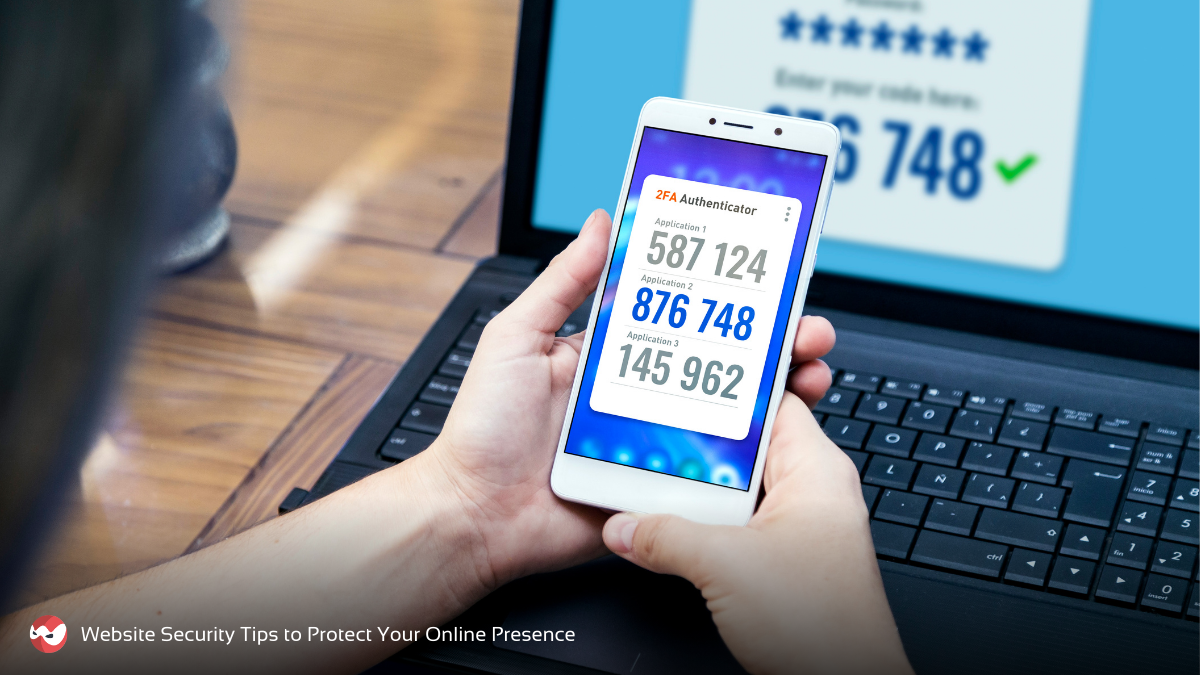
By incorporating 2FA into your login processes, you can provide your customers with peace of mind, enhance their trust in your website, and protect sensitive data from malicious actors. Prioritizing login security is a critical step in safeguarding your online presence.
6. Make strong passwords
Weak or stolen passwords account for 81% of data breaches in businesses, according to a Verizon study. Strengthening your passwords is one of the simplest yet most effective ways to enhance web security. Follow these essential website security tips to fortify your defenses:
- Length and Complexity Matter: Use passwords that are at least 12 characters long, combining randomly sequenced letters, numbers, and symbols. The longer and more complex the password, the harder it is to crack.
- Avoid Predictable Elements: Steer clear of using names, dictionary words, or personal information like birthdays or addresses, as these are the first things hackers try.
- Use Unique Passwords: Never reuse passwords across multiple accounts. If one account is compromised, reusing passwords could lead to a domino effect of breaches.
- Update Regularly: Change your passwords every few months to stay ahead of potential threats.
To make managing strong, unique passwords easier, consider using a password manager. These tools securely store your passwords and generate complex ones, saving you from the hassle of remembering them all. By prioritizing strong password practices, you significantly reduce your risk of falling victim to cyberattacks.
7. Backup your site regularly
No website is immune to cyberattacks, hardware failures, or unexpected issues. To minimize downtime and data loss, it’s essential to have a reliable backup system in place. If the worst happens, a well-prepared backup allows you to restore your site quickly and efficiently.
Here are key best practices for effective website backups:
- Frequency Matters: Regularly back up your site to capture all new content and updates. The more frequent the backups, the less data you risk losing.
- Automate the Process: Use automated backup tools to ensure backups happen consistently without relying on manual intervention.
- Test Your Backups: Regularly test the restoration process to confirm that your backups are functional and your system is working as expected.
While backups are vital for getting your website back online, they don’t address the root cause of the problem. To be fully prepared, maintain a secure baseline—a full backup from a time when your website was confirmed to be functioning properly.
A strong backup plan and strategy is an indispensable part of any robust website security plan. It ensures you can recover quickly and focus on preventing future issues.
8. Choose a reliable platform
Why is website security important?

Website security is essential for any business with an online presence. Implementing effective website security tips not only safeguards your site but also protects your customers’ privacy and builds trust.
Here are key reasons to prioritize website security:
- Safeguard Sensitive Information: A secure website protects personal data such as names, addresses, and financial details. Ensuring this level of security builds customer trust while helping your business avoid potential legal complications.
- Minimize Business Disruptions: Proactively defend against website outages caused by malicious activities, like bot or DDoS attacks. These disruptions can lead to significant revenue loss, particularly for eCommerce businesses.
- Maintain Reputation and Trust: A security breach can harm your business’s reputation and diminish customer confidence. Demonstrating a commitment to online safety reassures your customers and enhances their trust in your brand.
- Comply with Regulations: Adhering to laws and standards such as HIPAA, PCI DSS, and GDPR is critical. Non-compliance can result in severe penalties, making strong website security a necessity.
- Boost SEO and Online Visibility: Search engines prioritize secure websites, rewarding them with higher rankings. Implementing robust security measures like HTTPS improves your SEO performance and helps your audience find your site more easily.
Investing in website security is not just a defensive strategy—it’s a proactive step toward long-term success. By protecting your site, you secure your business, build credibility, and provide your customers with a safe online experience.
Secure Your Website, Protect Your Business with Smart Web Ninja!
Protecting your online presence is more important than ever. At Smart Web Ninja, we specialize in website security solutions that keep your site safe from threats, build user trust, and ensure uninterrupted performance.
👉 Take the first step toward a secure website today!
Contact us to learn how our WordPress management services can safeguard your website and enhance your business’s online success.